Free · Open-source · Windows and browser

Edit STL files like a CAD model.

Sketch on flat faces, drill holes for hardware, add printable threads, and split parts to fit your 3D printer—directly on the mesh.

No install needed Works 100% offline Exports STL, 3MF, OBJ GPL-3.0 License Linux and Mac (beta)
STL Editor — 3D Mesh CAD Workspace
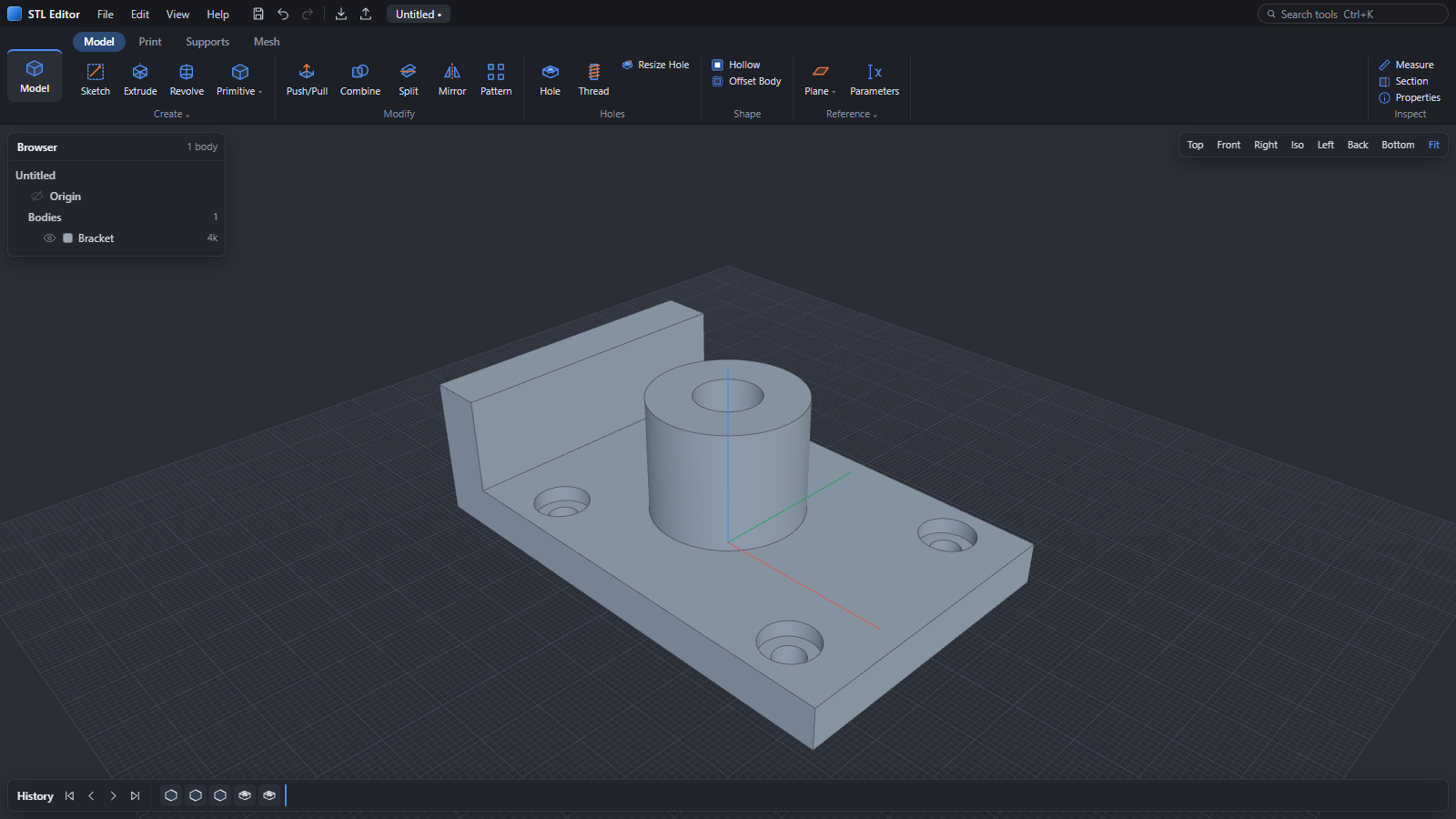
STL Editor workspace showing a loaded 3D model, toolbar tabs, sketch tools, and feature timeline

Built for how makers actually work

Downloaded files don't have to be dead triangles. Fix sizing issues, drop in fasteners, and prep models for printing without starting from scratch in CAD.

Modify downloaded STLs

Fix what you download

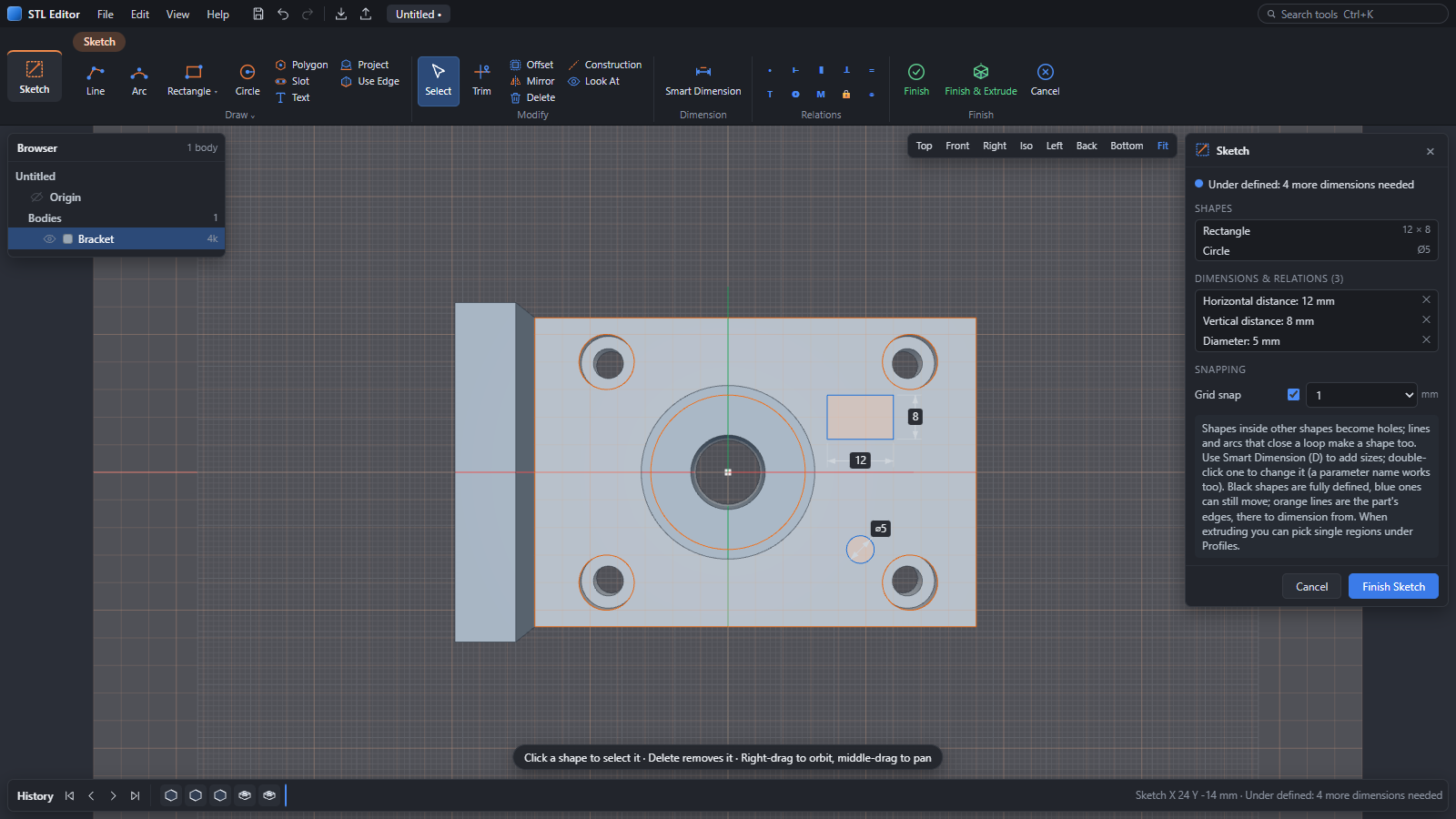
Found a great design online but need it to fit your exact project? Double-click any flat face on your mesh to sketch, cut pockets, or extrude new geometry. Add standard screw holes, heat-set inserts, or magnet pockets with built-in printing clearance, or generate real threads that screw together smoothly.

  • Draw exact sketches with lines, arcs, circles, rectangles, and smart dimensions.
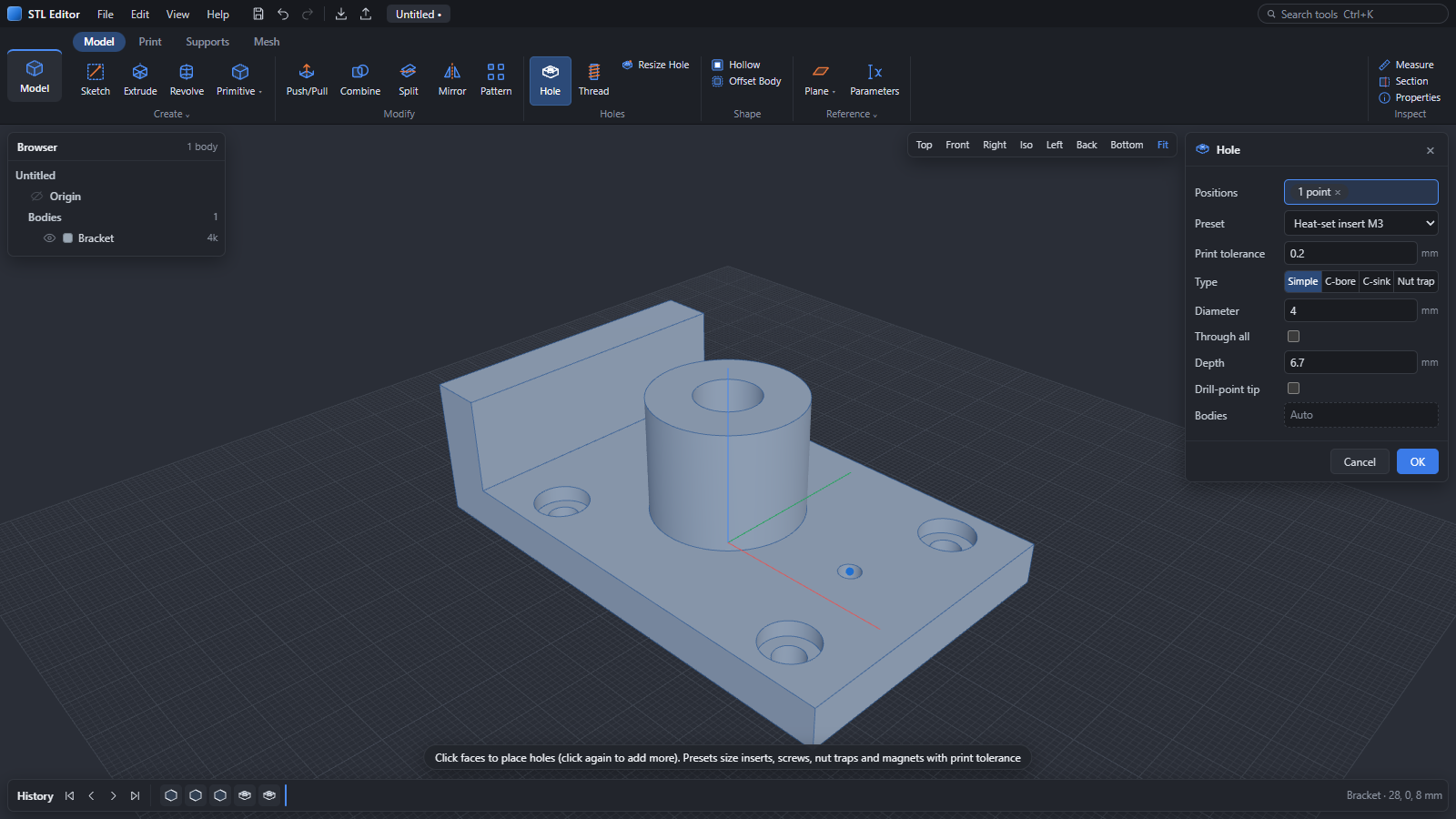
  • Holes for real hardware: presets for M2–M5 inserts, counterbores, and magnets.
  • Printable threads: metric and imperial threads with dialed-in print clearances.
  • Resize or fill holes: click any circular hole or pin to change its diameter.
Sketching on a 3D model face with dimensions, constraints, and extrude options in STL Editor
Sketch & Extrude
Hardware holes with presets for heat-set inserts and printable threads
Holes & Threads
Build plate fit

Too big for your bed? Split it

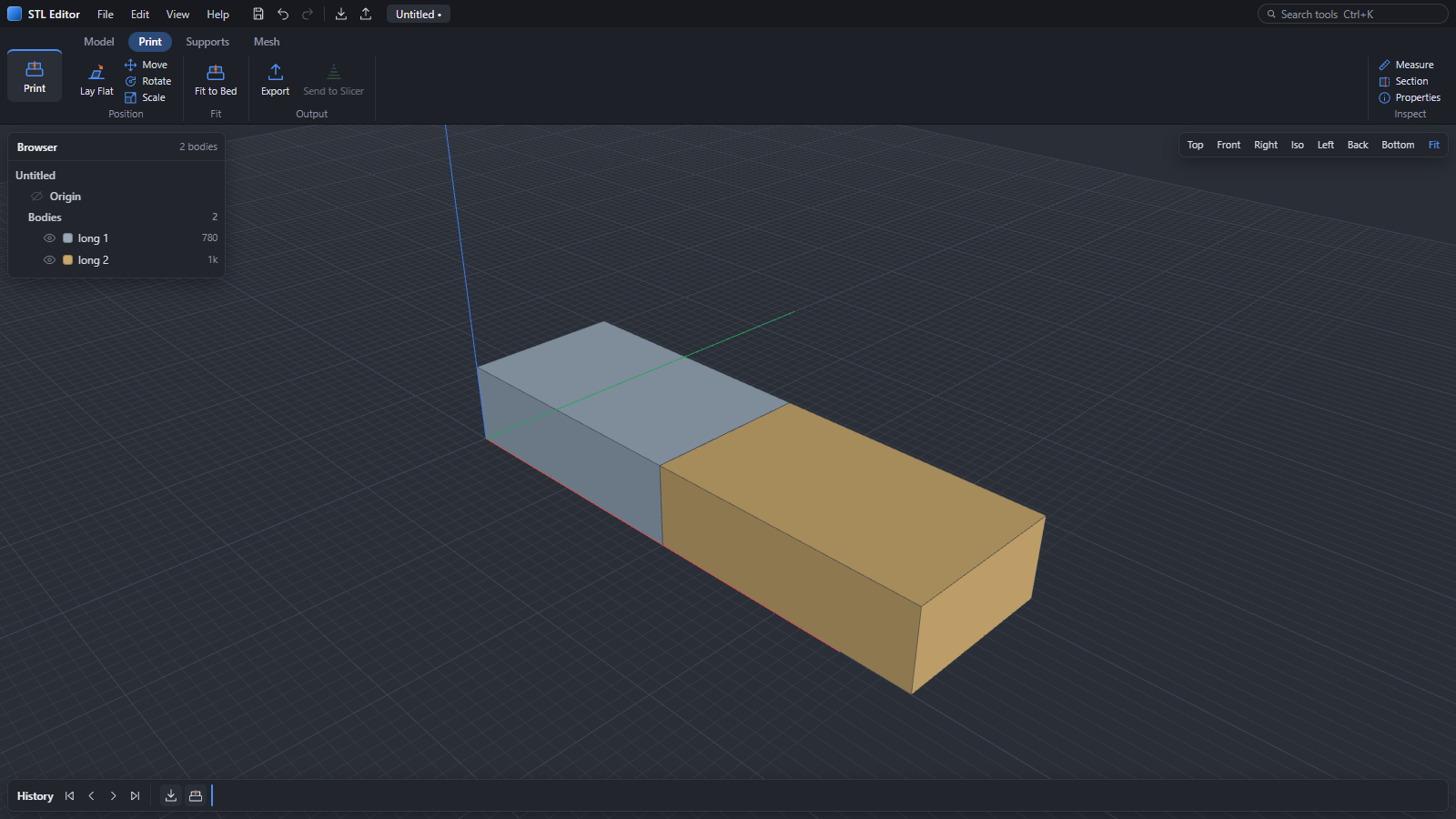
Never pass on a great model just because it exceeds your printer's build volume. Pick your printer or type your bed size, and STL Editor slices oversized models into clean pieces that fit. It automatically places alignment pins, pin holes, filament dowels, or magnet pockets at every seam so parts align effortlessly during assembly.

  • Printer presets: one-click sizing for popular Bambu Lab, Creality, and Prusa printers.
  • Smart cut locations: finds natural thin seams to keep cuts subtle and joints strong.
  • Snap-fit connectors: printed pins, matching sockets, or 1.75 mm filament dowels.
  • Lay Flat tool: quickly lands any face or the most stable orientation flat on the build plate.
Large 3D model split into bed-sized interlocking pieces with connector pins in STL Editor
Support Fins Integration

Supports that snap off

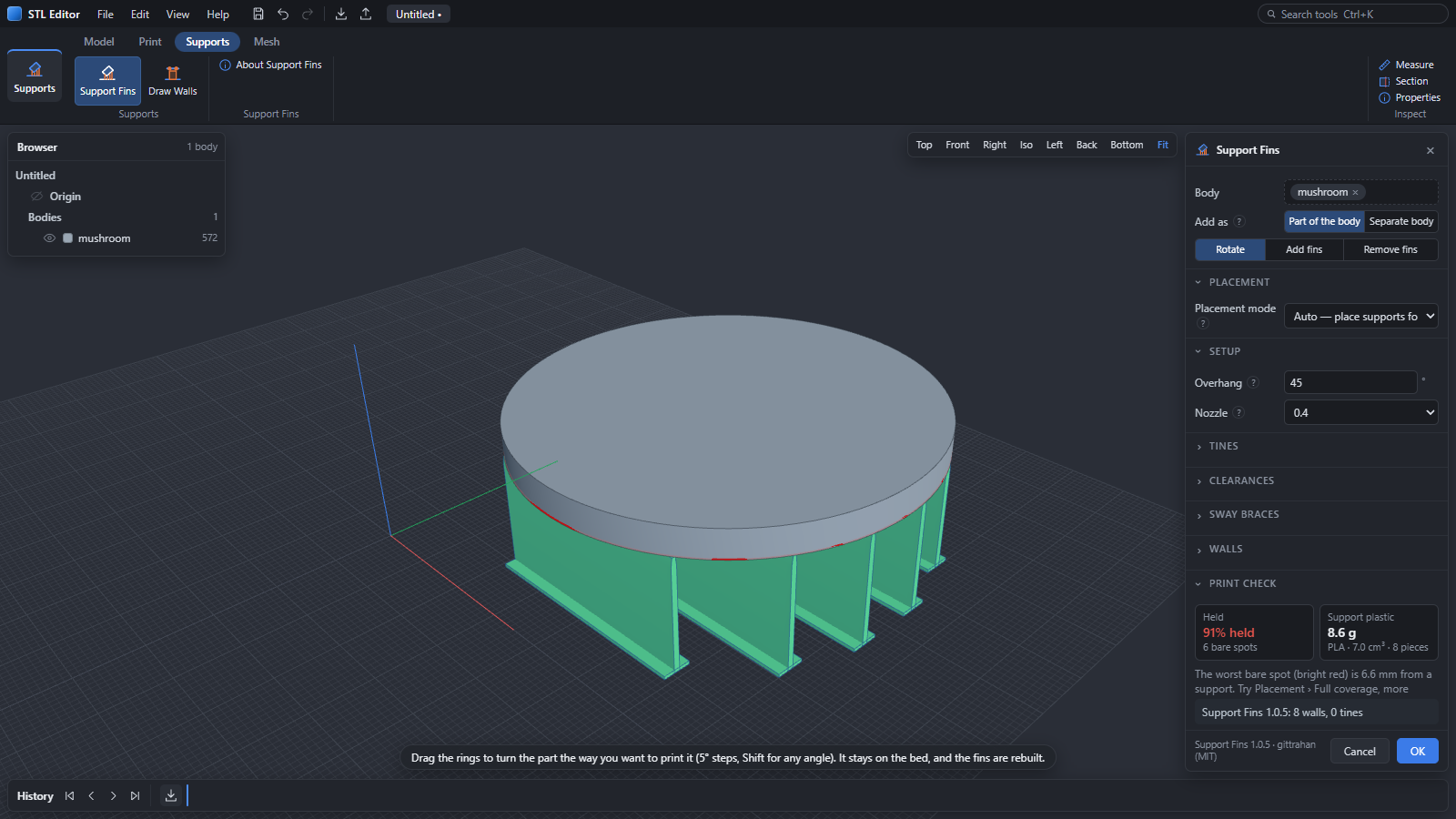
Tired of slicer tree supports fusing to delicate overhangs and requiring pliers to chisel off? STL Editor includes built-in Support Fins. Add rigid breakaway support walls and bed pads directly to the mesh. Overhang coverage checks highlight unreached areas in bright red, so you catch failures before wasting filament.

  • Breakaway fins: peel off cleanly by hand, leaving smooth bottom surfaces.
  • Coverage check: bright red heatmaps pinpoint unsupported overhangs.
  • Orientation advice: ranks print angles for strength and minimal support plastic.
  • Draw Walls: draw custom straight or curved support walls right where you need them.
Support Fins interface adding rigid breakaway support walls to steep overhangs on a 3D model
Streamlined Interface

Find any tool fast

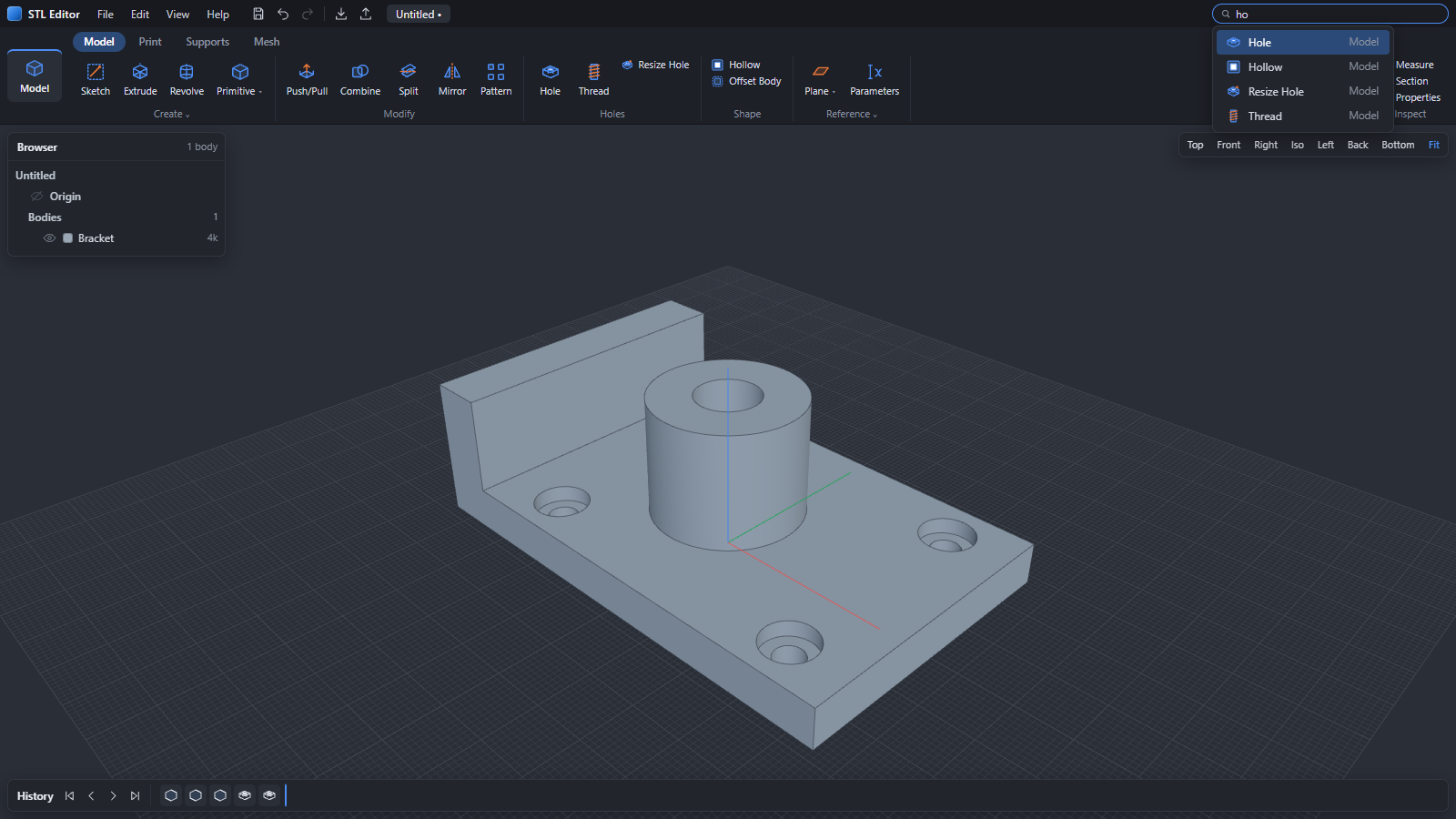
No digging through endless sub-menus or navigating confusing multi-tier ribbons. All tools are clearly organized into four main tabs: Model, Print, Supports, and Mesh. Press Ctrl+K anytime, type the tool you need, and jump straight into action.

  • Ctrl+K command search: find any tool, setting, or command in milliseconds.
  • Compact responsive toolbar: collapses neatly to icons on smaller screens.
  • Inspect always ready: Measure, Section view, and volume/weight Properties on every tab.
  • Native dark theme: gentle on your eyes during long modeling and print-prep sessions.
Ctrl+K tool search command palette open over the STL Editor workspace

Designed for privacy, speed, and freedom

Everything runs directly on your hardware without logins, tracking, or cloud lock-in.

No account

No logins, no sign-ups, no monthly fees, and no telemetry. Open the web version or launch the portable Windows executable and start modifying models instantly. 100% free and open-source under GPL-3.0.

Works offline

Your 3D models and proprietary designs never leave your computer. Both the Windows desktop app and the web edition execute all geometry operations locally using fast WebAssembly and C++ Manifold kernels.

Edits keep a history you can change

Every sketch, cut, hole, thread, and split is recorded in an editable parametric timeline. Double-click any earlier step, adjust a dimension or parameter, and all downstream operations rebuild automatically without starting over.

Every tool, organized by toolbar tab

All the modeling, print preparation, support, and mesh repair tools included out of the box.

MODEL
Tab 1
Create
Sketch Extrude Revolve Primitive
Modify
Push/Pull Combine Split Mirror Pattern
Holes
Hole Thread Resize Hole
Shape
Hollow Shell Offset Body
Reference
Plane Parameters
PRINT
Tab 2
Print Prep & Slicing
Lay Flat Move Rotate Scale Fit to Bed Export Send to Slicer Desktop only
SUPPORTS
Tab 3
Built-in Support Fins
Support Fins Draw Walls
MESH
Tab 4
Mesh Repair & Sculpting
Repair Simplify Remesh Separate Remove Bodies Brushes To STEP Desktop only
INSPECT
On Every Tab
Measurement & Analysis
Measure Section Properties
SKETCH
Sketch Editor
2D CAD & Constraints
Line Arc Rectangle Center Rectangle Circle Polygon Slot Text Project Use Edge Trim Offset Mirror Smart Dimension Construction Look At

Download or launch in your browser

Single zip download with zero installation required, or run the full WebAssembly version directly online.

Windows Portable Edition

Pre-packaged portable executable. Extract anywhere (Desktop, Documents, or USB drive) and run immediately without administrator privileges.

  1. Download STL-Editor-Windows-portable.zip (~79 MB).
  2. Extract the zip archive to any folder on your computer.
  3. Double-click STL Editor.exe to start.
Download for Windows
v1.17.0 · ~79 MB · portable zip
View all releases →
Windows SmartScreen notice: Because STL Editor is an independent open-source project and not yet digitally code-signed, Windows Defender may show a "Windows protected your PC" prompt. Simply click More info and select Run anyway.

System Requirements

OS Windows 10 or 11 (64-bit)
Disk Space ~150 MB unzipped
Input STL, 3MF, OBJ, PLY, OFF, GLB/glTF, .stlx
Output STL, 3MF, OBJ
Slicers Bambu Studio, OrcaSlicer, PrusaSlicer

Web Edition

Works in any modern browser (Chrome, Edge, Firefox, Safari) on Windows, macOS, Linux, ChromeOS, and tablets. Runs completely offline once loaded.

Open Web Edition
Zero install · Runs in browser

Mac and Linux (beta)

The Linux build is a beta: it works like the Windows version, but it is newer and less tested. If something goes wrong, the web edition is the safe choice.

  1. Linux: download STL-Editor-Linux-x86_64.tar.gz, extract it, and run STL Editor inside the folder. Nothing to install.
  2. Mac: there is no Mac download yet. Build the app from the source code (the user guide has the steps), or use the web edition in Safari, Chrome, Edge or Firefox. Intel Macs should use the web edition.
Download for Linux (beta)
v1.16.0 · tar.gz · no install

Send to Slicer on Mac and Linux finds Bambu Studio, OrcaSlicer and PrusaSlicer. To STEP is Windows only.

Frequently asked questions

Quick answers about privacy, pricing, and how STL Editor compares to traditional tools.

Is STL Editor really free?
Yes. STL Editor is 100% free and open-source software distributed under the GNU General Public License v3.0 (GPL-3.0). You can use it freely for any project, including commercial 3D prints, without paying a dime.
Does it upload my 3D models to any cloud server?
No. Everything stays private on your local computer. The desktop app only binds to your local loopback address (127.0.0.1) and never transmits model files. In the web edition, the geometry kernel runs locally inside your browser via WebAssembly; no files are ever sent over the internet.
How does it differ from traditional CAD and slicers?
Standard CAD programs (like Fusion 360 or SolidWorks) treat imported STL meshes as dead, uneditable surfaces. Slicers (like Bambu Studio or PrusaSlicer) are great at slicing g-code, but lack parametric sketching, tapped thread generation, and hardware hole presets. STL Editor bridges the gap, allowing you to sketch, cut, and drill on mesh models as easily as in a solid modeler.
What is the difference between the desktop app and the web edition?
Both editions share the exact same interface, modeling capabilities, and .stlx project format. The desktop app is recommended for very large meshes and enables direct integration to launch Bambu Studio / OrcaSlicer (Send to Slicer) and export to STEP. The web edition runs on any operating system (including macOS, Linux, and ChromeOS) with no download.